I'm just tired of Blogger, and want something that works using the same tools I use for my everyday work, so I'm moving to a Jekyll-based blog, hosted over on Github.
If you want to keep following, dig me at https://bear454.github.io . I'm sure I'll migrate my main domain at some point as well.
So long, and thanks for all the fish.
2017-09-11


2017-01-20
'Web' applications and the circle of life.

Web technologies are a funny thing. There's no doubt that web applications have improved far beyond what was imagined in the early days of the web... everything is more performant, more interactive, and designs are more immersive. JS engines have gotten faster, HTML specifications have embraced more resources, including local integration, and CSS has grown to allow rich, robust styling. We continue to push the envelope with technologies that will serve the web faster, like HTML 2 and websockets. Web development has become a huge field. The combination of fast moving technology, developed by a growing workforce has, inevitably, allowed "web" technologies to migrate into other areas: node.js runs many server-side applications; the gnome desktop relies heavily on CSS and JS for implementing basic UI elements; HTML documentation pervades.
It's natural, then, that user-facing applications would escape the browser frame. In multiple different iterations now, "web applications" have become just "applications" on the desktop or mobile platform. Somehow, though, they're never 'good enough' for general adoption by both the consumer and developer communities: adoption rises and falls like waves on the sea, each wave a new round of applications driven by advances in web technologies, only to be eclipsed by 'native' (C++, CLR/.net, Objective-C, GTK/Qt) applications, over and over. Why? And when will web applications truly be 'good enough'?
I noticed, as I installed yet-another Electron app, that I'm sitting at the top of another wave, while simultaneously, a prior wave of web applications is being eclipsed, and it made me reflect on just how many times we've been through this.
In 2007, Apple released the iPhone, with the expectation that developers would use mobile Safari to build apps, for which 'installation' meant, mostly, adding a shortcut on the phone. Steve Jobs has been quoted[1]:
The full Safari engine is inside of iPhone. And so, you can write amazing Web 2.0 and Ajax apps that look exactly and behave exactly like apps on the iPhone. And these apps can integrate perfectly with iPhone services. They can make a call, they can send an email, they can look up a location on Google Maps.
And guess what? There’s no SDK that you need! You’ve got everything you need if you know how to write apps using the most modern web standards to write amazing apps for the iPhone today. So developers, we think we’ve got a very sweet story for you. You can begin building your iPhone apps today.
The App Store is largely viewed as a response to early jailbreakers, and complaints from a developer community that did not want to embrace web technologies, and since, the volume of (native) apps in the App Store has been a regular measure of the success of the platform.
In 2012, Mozilla once again brought web-based applications to the forefront, launching FirefoxOS which was described as "powered completely by Web technologies and offer everything you expect from a smartphone"[2]. In 2016, Mozilla demoted the project, although this is typically associated with the lackluster sales, and continuous stream of negative reviews, as Mozilla pushed toward their ultra-low price point goal of a $25 smartphone.
Google has found much more success with ChromeOS, and the broad market of Chromebooks available with the lightweight, web-centric OS. While early announcements appeared in 2009, the first hardware didn't ship until mid 2011, the CR-48 from Google. ChromeOS may have had a slow start, but it quickly picked up steam, and hasn't slowed, despite having, basically, one native app: the Chrome web browser. Chrome apps, which run on both desktop Chrome and ChromeOS, "let you use HTML5, CSS, and JavaScript to deliver an experience comparable to a native application."[3].
Despite accelerating sales of Chromebooks[4][5], fed by their low price points, security improvements based largely on their small footprint and native image delivery systems, and their ease of administration, Google still felt pressure to bring 'native' apps to ChromeOS. This is, ironically, a complete inversion of the native application. With Chrome as the foundation, and the Android marketplace chosen as the source for a larger application pool, we've seen an evolving series of Android emulation layers be bolted onto Chrome... while this does pave the way for the larger pool of Android apps to run on Chromebooks, Chrome remains the native environment here, and Android apps will, for the near term at least, be burdened by the performance losses inherent in any emulation layer.
The newest wave of Chromebooks feature much beefier specs than their web-centric predecessors, driving up price points from the $200 range on average to the $500 range[6][7], largely in support of Android apps, but also to meet the needs of power users who like the basic design principles of an OS with a smaller attack surface, simplified maintenance, and easy access to developer tools, over increasingly expensive Macbooks[8] or Windows machines whose resources are ever-more consumed by the OS itself[9].
And yet, simultaneously, web applications are rising again. Github's Electron[10] project paves the way for desktop applications based on chromium (the open source upstream of Google Chrome) and Node.js, with tooling and instructions around packaging for Windows, MacOS, and Linux (!!!). Electron grew out of the Atom project[11], an effort to provide an open-source, extensible code editor based on web technologies. (Full disclosure... Atom is my IDE of choice... for now.) Electron, serendipitously, released in the midst of a wave of next-generation communication tools, and has found it's killer app in providing an easy way for Slack[12], rocket.chat[13], Riot[14], Wire[15] and Discord[16] to easily move their web-based applications to the desktop. Today, I installed yet-another Electron app just recently: Simplenote[17], an open-source tool for jotting quick notes and syncing them _everywhere_. I stepped back and realized that nearly all the new apps I'm trying, and most of the apps I'm using, are web-based. Either packaged Electron apps like Atom and rocket.chat, or Chrome apps/frames like Trello[18], Signal[19], and Autodesk's TinkerCAD[20]. And the native apps on my desktop? Web browsers mostly (both Chrome and Firefox), along with a couple of 'legacy' apps: Pidgin for old-school chat, and Evolution, for connection to my work mail.
So, where are you in the lifecycle of web applications? Riding the crest of Electron apps, or waiting for that shiny new Chromebook that lets you run emulated Android apps? Or, do you live in iOS or Android, and just can't even tell (or care) what technologies are underneath the hood of your apps? Are you surprised to find more web technology on your desktop than you expected? I'd love to hear!
[1] https://9to5mac.com/2011/10/21/jobs-original-vision-for-the-iphone-no-third-party-native-apps/
[2] https://blog.mozilla.org/blog/2013/07/01/mozilla-and-partners-prepare-to-launch-first-firefox-os-smartphones/
[11] https://atom.io/
2016-11-01
Pumpkin Art
One of the oddities of holidays is how language changes context. Aside from the week before Halloween, imagine the rarity of the question "what are you carving on your pumpkin?"
Having heard this question a fair number of times last week, I reflected on some of my own pumpkin art, and wanted to share.

Having heard this question a fair number of times last week, I reflected on some of my own pumpkin art, and wanted to share.

Impossible problems, simple solutions
Everyday we confront problems with no viable solution. Sometimes we simply accept them; sometimes we struggle against them for years. Some are critical, but most are simple annoyances; to the careful negative observer: subtle, regular signs of failure.
For example, let me share a ridiculous lifelong struggle: microwaving a frozen burrito. This, it turns out, is an impossible problem. Sure, any idiot can throw a burrito in the microwave for a couple minutes, and have something edible, but it won't be good. The center might still be cold, or the tortilla may be hard as a rock. The filling may boil out, and most likely, the wrap will be soggy on at least one side. In short, there is nothing you can do to make a frozen burrito come out of a microwave well cooked. I should know; I've tried every possible thing. I've cooked it fast, and slow, and slow then fast. I've cooked it on a wet towel, under plastic wrap, on a special microwave cooking plate. It's impossible.
If this were code, the solution would be clear: deconstruct the problem. Break it up into smaller problems, and with enough iterations and subdivisions, eventually you're not even solving smaller problems, but just following the obvious, simple course from problem to solution. On the rare occasion that doesn't work, change the scope: go back to the original premise... you're likely to find you've made an incorrect assumption. Even for software developers trained in this mindset though, applying this technique to everyday problems isn't obvious. If it was, there wouldn't be frozen burritos.
I'm writing this for a couple reasons: aside from the obvious advice, reminding developers that the tools we have for coding apply in real life as well, I'm also marking a turning point for this blog... which has long been an impossible problem for me. As much as I've wanted to fill it with good content centered around open-source technologies, I'm rarely able to find a subject that isn't better covered elsewhere. I want to blog more. I've been asked to blog more, but always the subjects elude me. It turns out the simple solution was a problem of scope: like this post, the things I want to share, that aren't said enough, simply aren't related to open-source. So, starting with this post, I'm solving the problem... by changing the scope. From here on in, I'm writing about whatever I want, whatever I feel needs to be said, shared, repeated. Stick around, and see if we can have some interesting conversations.
P.S. Here's the solution to frozen burritos:
- Microwave it whole, at high power, just long enough to defrost the tortilla completely.
Usually 45 - 75 seconds. - Open it up and scrape the filling out into a bowl.
- Microwave the filling at medium heat until it's at a safe temp - I look for boiling.
Usually 3 - 4 minutes at 60%. - Spoon the filling back into the tortilla, wrap it back up, and cook the whole thing for 30 seconds to get the tortilla warmed up nicely.
- Enjoy!
2016-02-01
(As a rubyist) Python sucks.
I've been writing Ruby for almost 9 years now, and I love it. Ruby, for those who don't know it, is an extremely expressive, natural coding language with roots in Perl and Smalltalk. I comment less in Ruby than any other language I've ever used, because the code tends to be clear and self-documenting. The community has a great ethos, driven by concepts like TDD/BDD (test or behavior driven development), DRY (don't repeat yourself), YAGNI (you ain't gonna need it), and convention-over-configuration.
I've been writing Python for about 18 months now, and it's an amazingly powerful language, with a huge wealth of libraries and resources. I don't love it. In fact, the more I use it, the less I like it. Doing a project in Django has really spiked that feeling. It's not that Python sucks, per se, I just feel like a lot of the lessons I've learned in the last 35 years of coding, and many of the concepts I've gotten used to as a Rubyist just don't apply, and that makes me grumpy.
This Thursday, February 4th, I'll be presenting for the Bellingham Linux Users Group, where I'll expound further, hopefully amusingly and enlighteningly, on this topic.
Thursday, Feb 4, at 7pm in BTC room CC201.
2016-01-12
Why I have a Moto G.

 |
| The 'shapely' Nokia N900 |
So, since I couldn't get what I wanted, a small-screened powerhouse, I decided to revisit what I really wanted in a phone, and I decided to be a bit more pragmatic this time around, and not just get the most awesome phone I could find. To that end, I made a new list of priorities:
1. Durability is important. Elegance is not.
My phone lives in my pants pocket. My pants pocket, it turns out, is a relatively dangerous place. It gets mashed against my thigh. My kids sit on it. It gets laundered. Sometimes it's unceremoniously dropped in a pile on the floor and kicked approximately towards the laundry hamper. In short, not at all the kind of place to be keeping something fragile, or elegant, or svelte even. If the first adjectives a device evokes are about its style, it most likely doesn't belong in my pocket. If it can be described using similar words as an NFL Linebacker, than it might stand a chance.
2. Cheaper is better.
As I mentioned, anything that's going to be living in my pants pocket needs to be replaceable. I don't see any reason to keep nearly a $1000 computer in my pants pocket; that would be insane. (I'm looking at you iPhone owners.) I'm not going to put my phone in a $90 case, either, no matter how "life proof" it is.
3. Unlocked is important.
I don't want to borrow, or lease, or rent my phone from my carrier. I don't want a contract, and I don't want a monthly payment for anything but the services I'm provided. My carrier knows I can leave at the drop of a hat, and they provide me a satisfactory service experience, every month, to keep me around. I may have stayed with the same carrier for most of the last 12 years, but that's not to say I'll stay next month. I ask, when I pay every bill "what have you done for me lately?" I can't do that if I'm beholden for 2 years of payments, or if my phone won't take another provider's SIM.
4. Stock Android is the best Android.
Want to make a bunch of techies groan? Start naming phone manufacturer's Android skins: HTC Sense UI. "Argh." Samsung Touchwiz. "Ugh." Moto Blur. "Eww." You get the picture. Stock Android is cleaner, faster, more usable, and the individual parts are easier to replace should you choose to, than any of the vendor skins. Don't like the home screen? Install Nova Launcher. Not enough keys on the keyboard? Try Hacker's Keyboard. Crappy light sensor? Use Lux. If your vendor has mixed and mangled services, you won't be able to do one of those. For example, don't bother installing a custom keyboard if you have an Asus Transformer tablet - unless you like having an on-screen keyboard using up half your screen while the physical keyboard is attached.
Updates are seriously affected by this as well, which makes perfect sense. What's going to take longer - validating and shipping stock Android, or reworking a skin on top of a new version? This is the #1 reason most phones don't get updates.
5. Phones make great cameras.
 |
| No one thought to bring a 'camera' to the beach that day. |
Time to choose.
So... where do I look? Well, the "stock android" limitation really thins the herd. Basically, you've got the Nexus line, Moto, and some random Asian vendors who just don't do much business in the US, yet. And while it's not the most important thing in the world, I may need service from the vendor, and Chinese phone vendors are notorious for bad service. Moto, on the other hand, offers 'Moto Care', no-questions-asked accidental damage protection, and I've exercised that on the Moto X (before the warranty ran out) - their service is flawless. I don't know what to say about Google's Nexus devices, as I've never needed service on any of them during warranty period... so that's both awesome and questionable at the same time.
Looking to purposely avoid high-end phones, I eliminated the current-gen Moto X and Moto X Pure, as well as Google's Nexus 6 (also Moto) and 6P. While the Moto E's price tag is really appealing, the 5MP rear camera (and no front camera) is too much of a step backwards. The last-gen Moto G seems like a great value too, but my provider has awesome LTE service, so buying a device with a 3G radio seemed like a waste. This left me deciding between the Nexus 5, and the current-gen Moto G.

 |
| Eat your heart out, rose gold. |
I also get to keep using some of Moto's pioneering improvements, which I've gotten really used to - like their awesome camera app. Two flicks of my wrist, and I'm taking photos: no other phone offers more convenient access to the camera. Their 'click anywhere on the screen' (or on my watch) approach continues to make my life easy. The 1080p video, or 720p slo-mo video, with live snapshotting during video recording, rivals any other devices camera tools. The pictures coming out of its 13MP camera look great both in printed snapshots, or when shared online. The 5MP front camera is more than adequate for videoconferencing as well.
 |
| 32GB of that is a class-10 SD card. |
In short, I got everything I wanted: A durable, relatively inexpensive, unlocked phone running stock Android with a camera that makes my whole family smile. For fun, the shell I chose is reasonably close to SUSE green. Do I miss NFC? Sure. Do I regret my choice? Not even a little. This phone is going to last me a few years, and who knows what will be out by the time it dies...
 |
| My next phone will project the Death Star in lieu of a ringtone. |
2015-05-06
2014-05-12
LFNW14 Wrapup
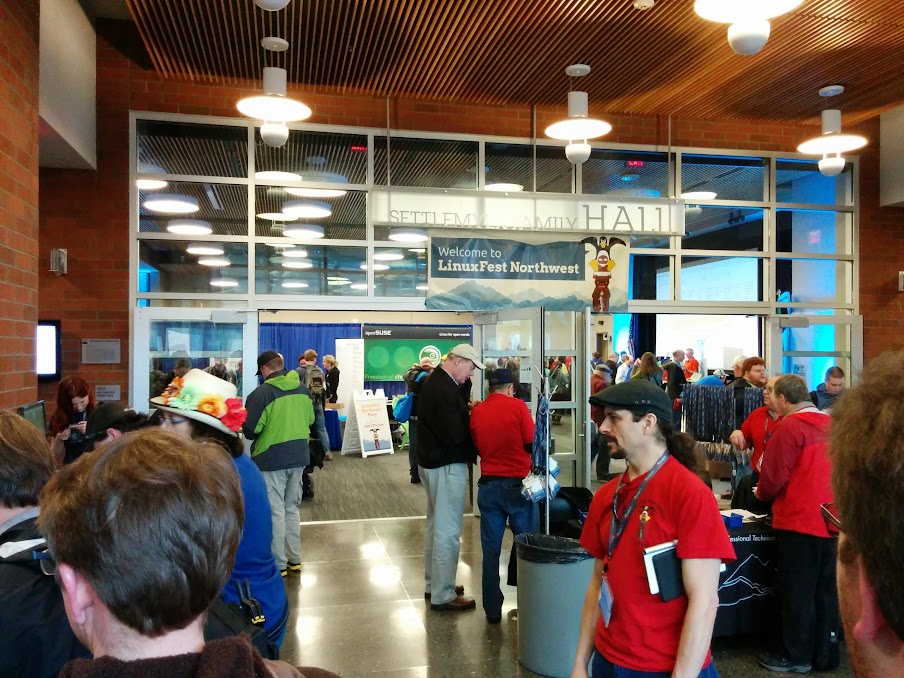 |
| Welcome to LFNW! |
This was the 15th anniversary of LinuxFest Northwest, and the both the organizers and attendees made it clear why this event keeps growing every year. At last count, there were 1500 attendees; and for the first time openSUSE had a wealth of enthusiasts volunteering in the booth to make sure we could help everyone get in touch with their inner Geeko.
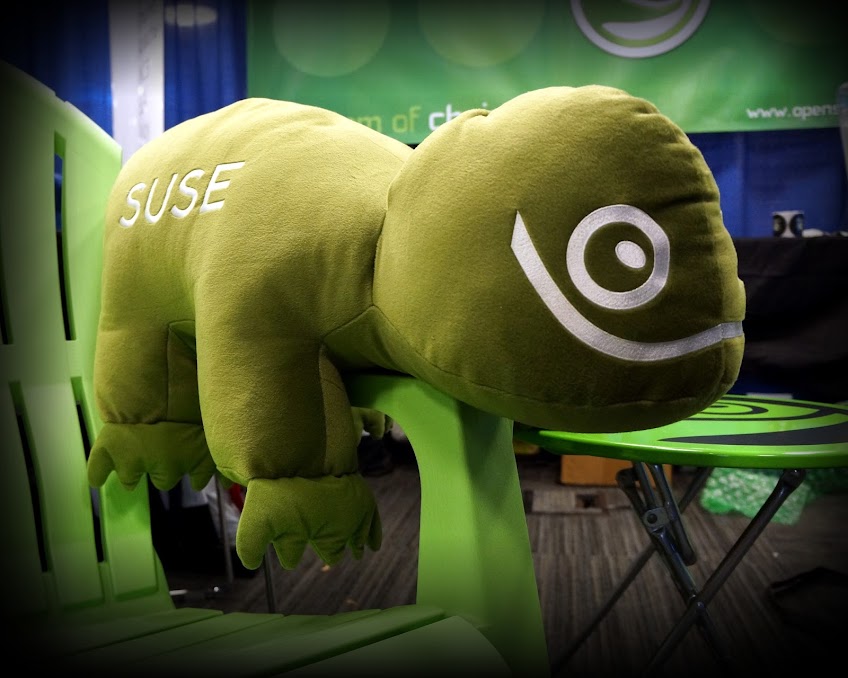 |
| Big Geeko |
 |
| Hangin' with Jon 'Maddog' Hall |
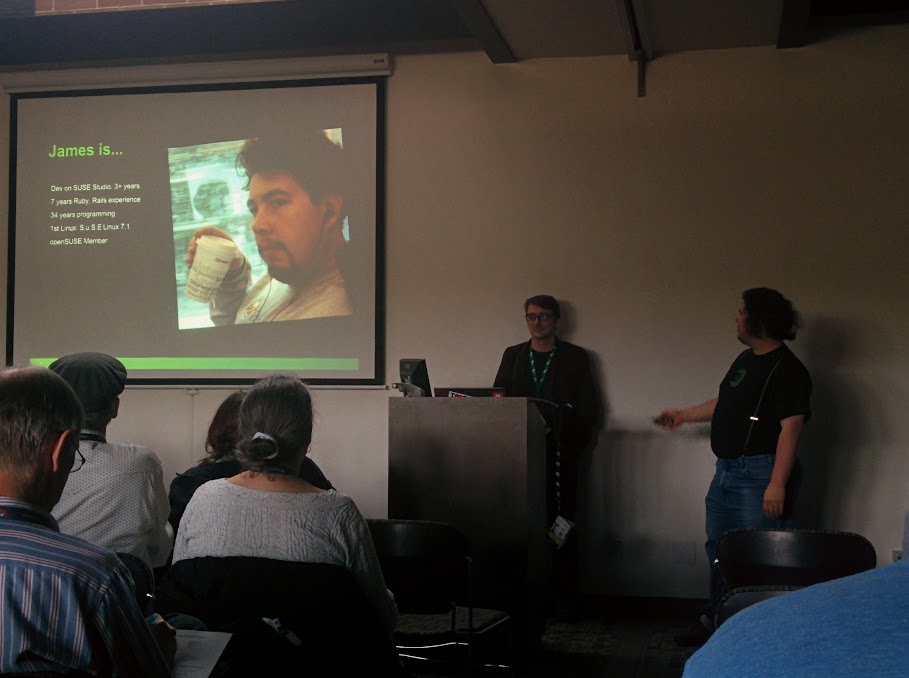 |
| Presenting with Bryan |
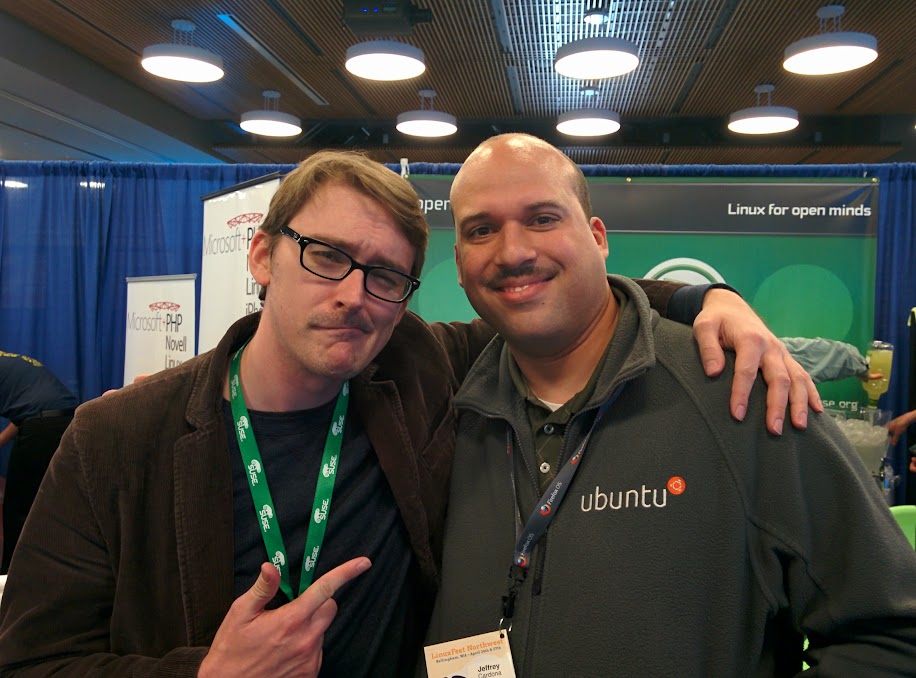 |
| Even Ubuntu folks get hugs here. |
We're already looking forward to LFNW2015, where we're sure to have even more fun than before!
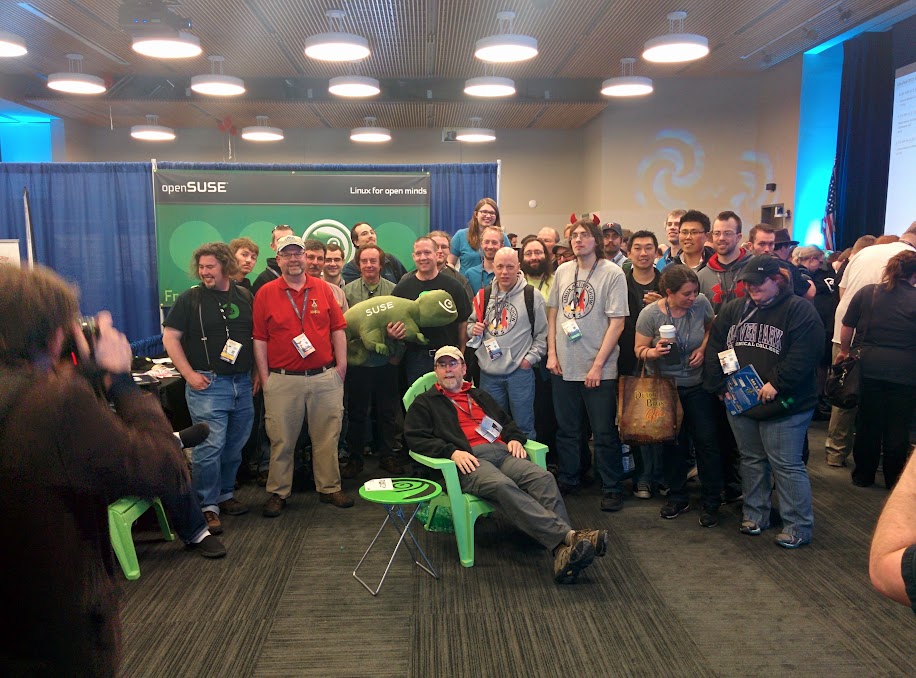 |
| Everybody loves openSUSE! |
2014-04-24
openSUSE @ LFNW 2014
LinuxFest Northwest 2014 is shaping up to be a great event for openSUSE!
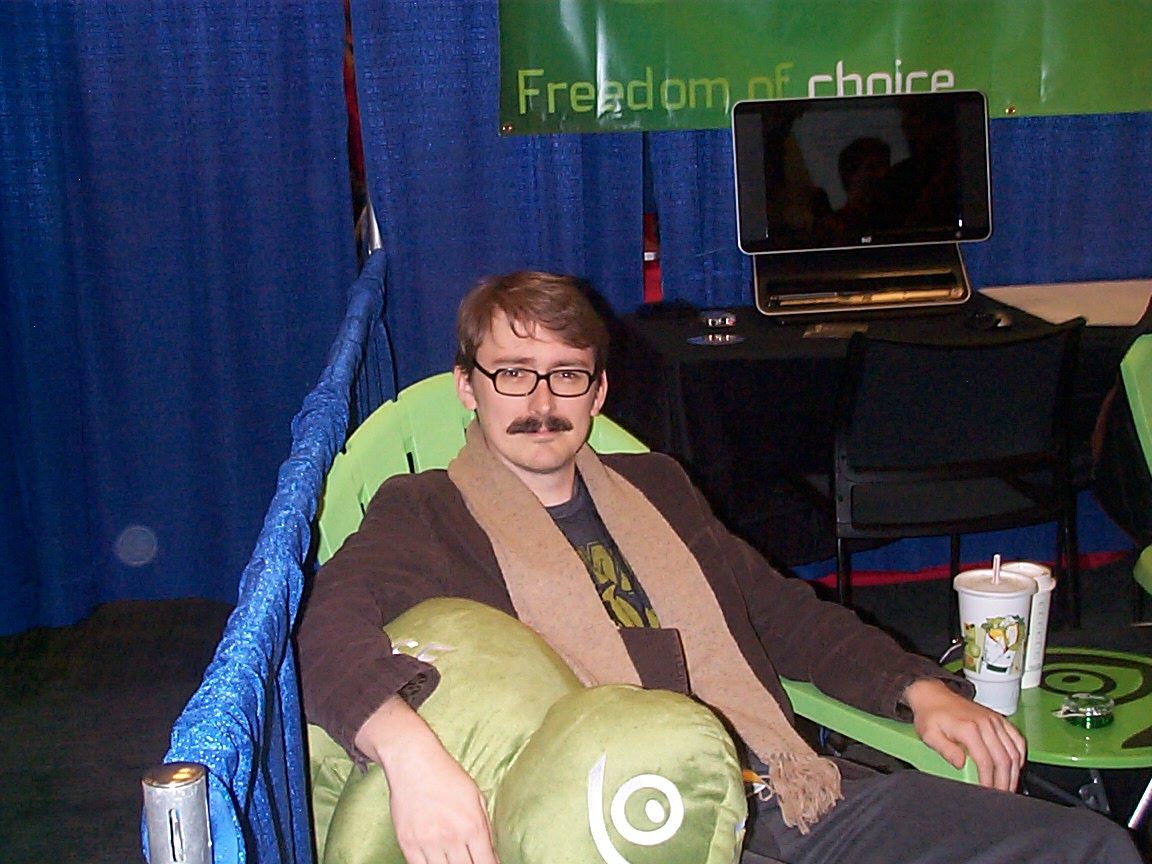 We'll be recreating the openSUSE Lounge in our luxurious 100 sqft. booth space. Stop by and relax in a comfy chair, and have a sip of LimeJeOS with one of our awesome community volunteers!
openSUSE is about community, and about having fun... what better way to show it than a comfortable place to hang out in the middle of any otherwise busy conference hall?
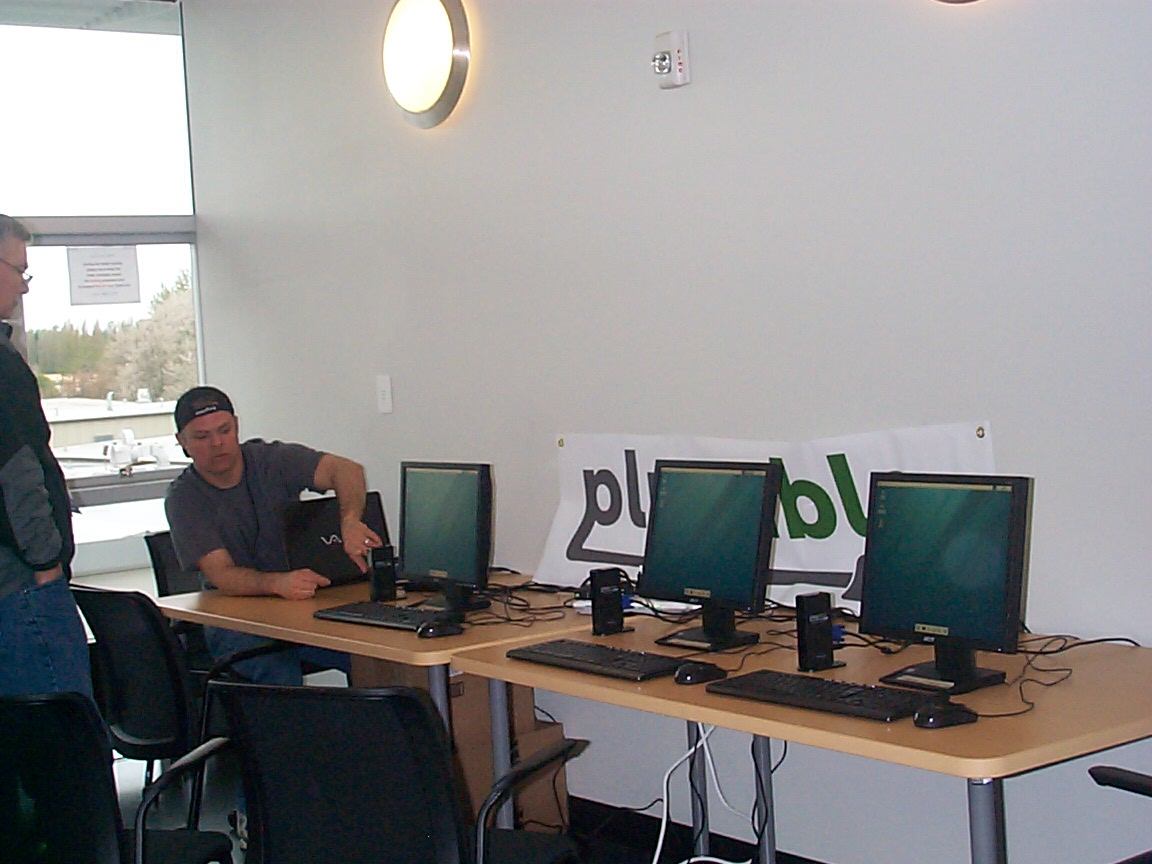 The gang from Community Tech NW will be running the tutorium... this will be a great place to get hands-on with 13.1, as well as a variety of other distros.
The tutorium is, without a doubt, the strongest community component of LFNW - the chance to sit down in front of a variety of Linux desktops and get some advice from experienced users.
 Bryan Lunduke and I will be co-presenting "10 things you would love about SUSE if you only knew..."
I'm almost as excited about publishing our out-takes as I am about doing this presentation.

I just need to decide which Live image to preload...
I hope you can come out and Have a Lot of Fun with us!
2014-04-14
Rewind: LFNW 2013 presentation
I realized, while prepping for LinuxFest Northwest 2014, that I'd never published my 2013 presentation here. So...
Looking to build a web application? You're going to want a JS framework to give your app some structure, and save yourself from building a new bowl of spaghetti code.
The problem is, we're spoiled for choice. I'll sum up what I learned trying to find 'the right solution': what options I evaluated; how I trimmed the fat and picked criteria to make a reasonable choice for a particular app; then spent some time actually building a small demo app to get in the groove.Slides: ODP PDF
2013-04-19
openSUSE @ LFNW - HELP WANTED!
LinuxFest Northwest 2013 is April 27th & 28th in *beautiful* Bellingham, WA!
LFNW is an annual event produced by the Bellingham Linux Users Group ( http://blug.org ), and volunteers from other northwest U.S. open source users groups. This is a free event and produced entirely by volunteers, and features Linux and open source experts and aficionados sharing their experience and enthusiasm. This generally means that there will be a lot of smart people who come with something to share and a desire to learn.
http://www.linuxfestnorthwest.org
openSUSE is sponsoring LFNW, so its important we make the best of our community investment in this enthusiastic crowd (last year Jos got to see firsthand what it looks like when 1500 enthusiastic Linux users hit a conference hall).
I still need a few committed, knowledgeable community members who are comfortable networking in a big diverse crowd. As a benefit of our sponsorship, we will have a luxurious 100 sq.ft. space on the booth floor. Used well, we can actually bring folks in and work with them 1:1 - doing installs, teaching techniques, sharing stories: anything that helps this *awesome* Linux community understand that openSUSE is like a warm group hug. If you can help out, please get a hold of me via email, twitter, facebook, g+ or whatever, as soon as possible.
Cheers - and here's to seeing you at the end of April!
2012-08-17
Resurrecting LimeJeOS

LimeJeOS was established in 2008 as part of KIWI's reference recipes and lives on as the foundation of all openSUSE-based images in SUSE Studio. Somewhere along the line, though, JeOS images became unavailable.
So I've resurrected them, by simply building the openSUSE JeOS templates in SUSE Studio into all available formats, and publishing in the SUSE Gallery, in both 32-bit and 64-bit varieties.
I'll update these when 12.2 releases next month. In the meantime, enjoy some lime juice this hot summer!
-- Update --
I published 12.2 versions today. Enjoy!
-- Update --
I published 12.2 versions today. Enjoy!
2012-08-02
The State of the UI
This is a culmination of arguments I've been making for at least a year now, hopefully it's more cohesive in print that it has, at times, been verbally.
I'm glad of Unity, and Metro, and GNOME Shell, and Plasma Activities, and whatever-Apple-is-calling-it-when-they-shove-the-iOS-interface-into-OSX. I'm glad of tablets that do computing tasks well, and phones that move data around easily. I may not like all these interfaces, but I'm glad of them... because I cannot stand the mindset that the Windows 95 UI, and the Mac classic interface are the best we can do. It's time to move past the task bar, the Start/Apple/GNOME/Kicker menus, the system tray. It's time to have the clock elsewhere than the rightmost corner.
If you disagree, I understand. Change is hard; we naturally resist it. But, at the very least, recognize that you are the problem, not the change. And just keep using your old software. No one took away your Windows 3.1 floppies when Windows 95 came out. No one will take away your Windows XP CD when Windows 8 comes out. No one took GNOME 2 off your old distro CD. Heck, openSUSE 12.2 will *still* ship a community supported option for KDE 3. Despite the gargantuan task of moving SUSE Linux Enterpise from a 2.6 kernel to a 3.0 kernel on a Service Pack release, that Service Pack still includes GNOME 2.
SO STOP GRIPING ABOUT THE NEW INTERFACES.
If we're ever going to get out of this funk, we're going to have to stick some new ideas to the wall. They won't all work, that's a given. Heck, most of them probably won't even be usable *cough*Metro*cough*, but that doesn't mean the innovation should stop.
In the Linux community though, some of that innovation is coming at great expense. Specifically, the popularity of Ubuntu Linux, and its decision to build Unity, are the cause of great strife and fragmentation. Although Unity is, ostensibly, an open-source project, no other major distro has picked it up: Unity is synonymous with Ubuntu, and that's fine, except for two issues:
1. The replacement of gnome-shell with unity fosters a community of GNOME hate... and hate is always a bad thing.
2. A number of innovative projects are now being developed with unity dependencies, effectively isolating them from the rest of the Linux community; apps like Fogger, Quickly, and Visual Ruby.
I, for one, use gnome-shell every day. Did I resist it at first? Sure... change. But given the time to understand "why" it is, and to get used to how it is, I can say for certain: I'm more productive with GNOME 3 than I was with GNOME 2. GNOME 3, which is synonymous with gnome-shell, has a level of integration, and extensibility that I've never experienced before. The pomodoro timer extension marks me busy in my universal IM client. I don't have to have my calendar app open to get reminders. I don't have to know, before I start working, how many virtual desktops I need; I always have 1 extra. If I'm in the zone, two clicks send all popups into oblivion.
So, free software folks: please please please stop hating on gnome-shell. GNOME project is breaking new ground here, and as usual, they're doing it with plenty of thought about "why". If you don't get it, go read about it. If you get it and don't agree, just use something else. But stop the hate.
And while you're at it, stop writing cool software with dependencies on Unity. When SUSE developed the Kicker menu for KDE, did we require a YaST module to configure it? NOPE. When we got good color support, did we limit it to the open-source ColorHUG colorimeter? NOPE. So don't stack all your innovation on Unity. Use dbus to pass stuff around. Or sockets. I'm so disappointed that a beautiful framework like fogger, bridging web apps to local interfaces, *requires* Unity. Nothing about its feature set is dependent on Unity. But, because of that architectural decision, *every other distribution* will use something else, eventually, to do the same task. That fragmentation hurts Linux. Ubuntu wouldn't be in its position without the contribution of countless developers on the Kernel, and Debian, GNOME, OpenOffice/LibreOffice, Gstreamer, Mozilla, etc. In other words, Ubuntu is the top Linux desktop, because other projects made code that was not exclusive. Now that they're the top dog, the importance of distributing a project seems much less important. Which makes me grumpy.
Okay, so its not much more cohesive, but at least I got it out of my head. I'm looking forward to your comments, and the next new interface design.
2011-05-15
Linux Your Way with SUSE Studio @ LFNW
In case you missed it, or (suprisingly) wanted to see it again, here's my presentation from LinuxFest Northwest 2011.
"Slides", via Prezi
Video, thanks to Jupiter Broadcasting
Apologies for the audio issues... :/
"Slides", via Prezi
Video, thanks to Jupiter Broadcasting
Apologies for the audio issues... :/
2011-02-27
openSUSE isn't (just) a desktop OS
openSUSE is an incredibly versatile OS, suitable for use on Mainframes, Servers, Virtual Appliances, Workstations, Desktops, Laptops, and Netbooks; no wonder it has a chameleon for a mascot.
In the past few years, most media coverage of Linux has become synonymous with Linux on the desktop, largely because of the huge market share of Linux in the server space and the popularity of Ubuntu Linux, which first and foremost, is desktop-oriented. We, as Linux distribution advocates, have contributed to this, by strongly focusing our marketing efforts on desktop advancements: the newest KDE, previews of GNOME 3, and before that, Compiz. Unfortunately, for new users, this creates a false perception that all Linux distributions are desktop Linux distributions. What we lose as a community in this argument which Linux distribution offers the best desktop experience is one of openSUSE's greatest strengths: its server experience, and the overall flexibility the distribution provides by being equally suited to both server and desktop tasks.
openSUSE grew out of S.u.S.E. Linux which, translated from the original German, is System and Software Development . S.u.S.E. Linux was designed for building systems: it was equal parts a system integrator's OS, and a developer's OS. The current openSUSE distribution carries those roots, but has lost the emphasis on them, in favor of the overall desktop experience. I'll be publishing a few of articles on news.opensuse.org that explain how easy it is to get started with openSUSE as a server and as a development environment, to try to rebuild some of that emphasis.
Update: "openSUSE servers with one click" is up on news.opensuse.org.
2010-04-24
LFNW'10 :Making Rails Interesting
#bhamruby, the Bellingham Ruby Users Group, put on a full-day track at LinuxFest Northwest on Saturday, April 24, 2010.
Here's my presentation slides:
Or if you prefer, you can download a PDF.
Here's my presentation slides:
Or if you prefer, you can download a PDF.
2010-02-25
The openSUSE Ecosystem - Presentation Notes
On Thursday, February 4th I gave a talk for the Bellingham Linux Users Group (BLUG), 'touring' openSUSE 11.2 as a desktop OS, and giving a broad overview of the projects and community that culminates in the openSUSE Linux distribution. For those who missed it, here's my presentation notes.
Cut to the Chase: Presenter's Notes & Links
Touring the openSUSE Ecosystem
openSUSE 11.2
openSUSE Users/Members
openFATE
openSUSE Build Service
SUSE Studio
Hermes
Gitorius
openSUSE 11.3
openSUSE Edu?
http://en.opensuse.org/Education
http://www.opensuse-education.org/
moblin/goblin?
Goblin: moblin UI on openSUSE: http://en.opensuse.org/Goblin
kiwi?
http://en.opensuse.org/Build_Service/KIWI/Cookbook
Mono/Monodevelop/Monotouch (iPhone) ? Asp.net?
http://www.mono-project.com/Plans
http://monodevelop.com/Download/What%27s_new_in_MonoDevelop_2.2
Feb 5


You:
openSUSE 11.2
http://en.opensuse.org/OpenSUSE_11.2
http://news.opensuse.org/2009/11/12/opensuse-11-2-released/
http://en.opensuse.org/Screenshots/11.2
KDE 4.3 as the “default” desktop. If you install from DVD without
changing anything, you’ll have the KDE desktop by default. However, we
still provide GNOME as an equal choice, and Xfce and other window
managers as alternative desktops http://en.opensuse.org/File:OS11.2RC2-install4.png
Live CDs (hybrid ISOs) for KDE 4.3 and Gnome 2.28 http://en.opensuse.org/Live_USB_stick
The usual upgrades: OOo 3.1, ext4 as default file system, Firefox 3.5 (now with blazing speed!), xorg autodetect/randr
New technical stuff: btrfs, desktop kernel, complete hdd encryption
Gnome 'Sonar' theme. http://en.opensuse.org/File:112m8GIMP.png
Social networking integration:
Choqok microblogging client (KDE) http://choqok.gnufolks.org/
Gwibber microblogging client (Gnome) https://launchpad.net/gwibber
Facebook chat for Pidgin, Kopete
KDE plasmoids for microblogs, openDesktop
webYaST preview - RESTful interface to YaST & client web app. Built in Ruby on Rails. http://en.opensuse.org/YaST/Web
Significant speed improvements to package dependency resolution. http://en.opensuse.org/Package_management/Sat_Solver
Select addon repositories: Nvidia, Mozilla, OpenOffice.org, VLC, Mono, KDE & Gnome community, openSUSE Contrib...
Subscription script for the Nvidia repository autodetects the appropriate kernel driver for installation/subscription.
What's on the disc?
KDE Live, Gnome Live, DVD Installer, 64-bit on one side, 32-bit on the other. The label is opposite the data. Super handy!
Feb 2
You:
openSUSE Users/Members
openSUSE User: "I use openSUSE Linux"
10,963 Users, 4,221 support the Guiding Principles
User directory https://users.opensuse.org/users/browse
Guiding Principles: we are the openSUSE community; we want to create the best Linux distribution in the world; we value the ideals of free software; we are governed by the board of maintainers. https://users.opensuse.org/guidingprinciples
openSUSE Member: "I contribute to openSUSE Linux" http://en.opensuse.org/Members
395 Members
Member directory https://users.opensuse.org/membership/list
Users can request membership; membership is only granted by the board, for "continued and substantial contribution"
@opensuse.org email address, Freenode IRC cloak, PlanetSUSE syndication, Lizards blogging account
Board Elections http://en.opensuse.org/Board
Feb 4
You:
openFATE
http://en.opensuse.org/OpenFATE
Feature planning for openSUSE and SLE
'dashboard' home page: top rated feature requests, recently updated feature requests, tag cloud.
sort & search for feature requests
follow feature status
discuss feature requests
Keeps bugs (bugzilla) and features separate.
Feb 4
You:
openSUSE Build Service
http://en.opensuse.org/Build_Service
Automated software packaging for all major distros:
RPMs for openSUSE, SLE, CentOS, Fedora, RHEL, Mandriva http://en.opensuse.org/Build_Service/cross_distribution_package_how_to
DEBs for Debian, *buntu
Upload source and build instructions (rpm spec/?), and your packages are automatically rebuilt when one of your uploads, dependencies, or target distros change.
For each project build, a clean VM is constructed, your source added, packaging performed, results & log extracted to download. , then VM destroyed.
Free hosting on download.opensuse.org, GUI at http://software.opensuse.org/search
Subscribe to projects using native packaging (YaST, zypp, rug, etc.)
Link a project, add a patch, publish.
Local tools for expedited packaging, links to SCM.
openSUSE 11.2 and all pre-release builds (Factory, Milestones, RCs) were built entirely on OBS!
Powered by Ruby on Rails, XEN, Kiwi
Feb 4
You:
SUSE Studio
http://en.opensuse.org/SUSE_Studio
Build SUSE-based appliances (custom-built distro images) on the web.
Select a base image
Modify package selections
Customize basic behavior
Overlay files onto the image
Build to HDD/USB disc image, Live ISO, VMWare, or XEN.
Test Drive: run the appliance on Studio servers, test, configure, add changes to the base image.
GUI interface through VNC Flash control
or turn on networking for ssh, http, https.
Powered by Ruby on Rails, XEN, Kiwi
Feb 4
You:
Hermes
Unified messaging dispatcher. (What?) http://en.opensuse.org/images/0/06/Hermes_arch.png
Users create preferences: what do I want to be notified about (openFATE feature changes, OBS status)
Resources send updates via REST
Relays check for updates applicable to users, and sends updates to Agents
User defines preferred Agent (Web, RSS, Email, Jabber)
Public feeds (Web, RSS, twitter http://twitter.com/OBSHermes )
Feb 4
You:
Gitorious
Open-source Git hosting. What Github is to Ruby, Gitorius is to Linux.
Official host of:
openSUSE http://gitorious.org/opensuse
Maemo http://maemo.gitorious.org/
WebKit http://gitorious.org/webkit
FreeBSD http://gitorious.org/freebsd
XBMC http://gitorious.org/xbmc
Amarok http://gitorious.org/amarok
...and over 5,500 others
Full source code (for running your own Gitorius server) at http://gitorious.org/gitorious
Feb 4
You:
openSUSE 11.3
http://en.opensuse.org/OpenSUSE_11.3
http://en.opensuse.org/Roadmap
http://news.opensuse.org/2010/02/01/download-nowits-here-opensuse-11-3-milestone-1/
Release date: Thursday, July 15, 2010
Gnome 2.29.5 ... heading for 2.30 http://mail.gnome.org/archives/devel-announce-list/2010-January/msg00002.html
KDE 4.4 RC1 ... heading for 4.4 final http://www.kde.org/announcements/announce-4.4-rc1.php
LXDE moves into to tier 2 desktop list http://en.opensuse.org/Lxde
Mozilla updates: Firefox 3.6, Thunderbird 3.0.1 http://news.opensuse.org/wp-content/uploads/2010/02/firefox_personas.png
OpenOffice.org 3.2-beta4(3.1.99.4) ... heading for 3.2
VirtualBox 3.1.0 Beta1 (3.0.90) .. heading for 3.1
Amarok 2.2.2, digikam 1.0.0, ktorrent 3.3.2
kernel 2.6.32
zypper updates for more user-friendliness and more download options. http://news.opensuse.org/wp-content/uploads/2010/02/zypper1.png
clutter updates
Qt 4.6 w/multitouch & gesture recognition http://doc.qt.nokia.com/4.6/qt4-6-intro.html
courier IMAP updates for Thunderbird
Nagios 3.2 w/ improved reporting
net-snmp now support IPv6
Samba 3.4.5 (lots-o-bugfixes)
GNU Debugger 7.0 w/ python support
Cmake 2.8 w/ a QT gui & support for Visual Studio 2010, Eclipse
KIWI 3.95, used in OBS & Studio
& lots-o-bugs!
Download Factory to keep on top of the developing version (if you dare). http://software.opensuse.org/developer
Subscribe to:
Posts (Atom)